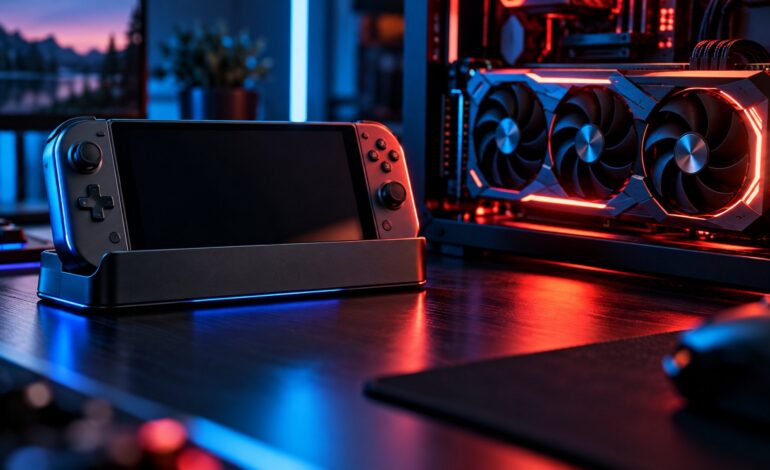
Short answer: the closest PS5 Pro GPU equivalent on PC is an AMD Radeon RX 7700 XT to RX 7800 XT in raw rasterization, which puts it in the same neighborhood as an Nvidia GeForce RTX 4070 (or an RTX 3070 Ti / 3080 on the older side). It is not a direct copy of any PC card, but if you want a PC that can match or beat a PS5 Pro, an RTX 4070 or RX 7800 XT class card is the safe target.
If you are coming from the base console, check our guide on what GPU is equivalent to the PS5 first. The Pro is a big step up, so the answer changes quite a bit.
PS5 Pro GPU Specs at a Glance
Sony built the PS5 Pro around a custom AMD GPU that mixes RDNA 2 era foundations with newer ray tracing hardware and a dedicated machine learning block for upscaling.
| Spec | PS5 | PS5 Pro |
|---|---|---|
| Compute Units | 36 CUs | 60 CUs |
| FP32 performance | ~10.3 TFLOPS | ~16.7 TFLOPS |
| Memory | 16 GB GDDR6 | 16 GB GDDR6 + 2 GB DDR5 |
| Memory bandwidth | 448 GB/s | 576 GB/s |
| Upscaling | Checkerboard / FSR | PSSR (AI upscaling) |
| Launch price (US) | $499 | $699 |
Sony’s own claim at launch was up to about 45% faster rendering than the base PS5, with ray tracing performance roughly two to three times higher depending on the game.
Closest AMD GPU Equivalent: RX 7700 XT to RX 7800 XT
Because the PS5 Pro uses AMD silicon, AMD’s Radeon cards are the most natural comparison.
- RX 7700 XT (54 CUs, 12 GB): a little below the PS5 Pro in compute units, and it has less VRAM. Expect similar raster performance in many titles.
- RX 7800 XT (60 CUs, 16 GB): the same CU count and the same 16 GB of memory. On paper this is the closest match, and on PC it usually has a slight edge thanks to higher clocks and more bandwidth.
- RX 6800 (60 CUs, 16 GB): an older RDNA 2 card with a matching CU count. Good raster comparison, but noticeably weaker at ray tracing than the Pro.
Verdict: if you want one AMD card to name, the RX 7800 XT is the best “equal or slightly better” pick.
Closest Nvidia GPU Equivalent: RTX 4070
Nvidia cards are harder to compare directly because the architecture is different, but in real game performance the PS5 Pro lines up well with:
- RTX 4070 (12 GB): the most commonly cited match. Similar raster performance, stronger ray tracing, and DLSS is still a more mature upscaler than PSSR.
- RTX 3070 Ti / RTX 3080: older cards in the same performance band. The 3080 is a touch faster in raster, while the 3070 Ti’s 8 GB of VRAM is a real limitation in newer games.
- RTX 5060 Ti 16 GB: a newer budget option that sits a bit below the Pro in raw power but brings DLSS 4 and frame generation.
Verdict: the RTX 4070 (or its successor, the RTX 5070) is the safe Nvidia choice if you want to match or beat a PS5 Pro. For the Microsoft side of things, see our breakdown of the best Xbox Series X GPU equivalent.
Why the Comparison Is Never Exact
Console to PC comparisons are always a bit fuzzy, and the PS5 Pro is no exception:
- Shared memory. The console’s 16 GB pool is shared between the CPU and GPU. A PC card’s VRAM belongs to the GPU alone, so a 12 GB PC card can sometimes behave like it has more headroom than you would expect.
- Optimization. Developers tune console versions for one fixed piece of hardware. That lets a console punch above what its raw specs suggest.
- The CPU did not change. The PS5 Pro keeps essentially the same 8 core Zen 2 CPU as the base model (with a small clock bump). In CPU heavy games, a modern PC with the same GPU class will often pull ahead.
- PSSR vs DLSS and FSR. Sony’s AI upscaler does a lot of the heavy lifting in “Pro Enhanced” games. Many PS5 Pro games run at a lower internal resolution and upscale to 4K, so you should compare a PC using DLSS or FSR, not native 4K.
PS5 Pro vs PC: Which Should You Buy?
Pick the PS5 Pro if:
- You mostly play PlayStation exclusives or want them on day one
- You want a plug and play 4K TV experience
- You do not want to think about drivers, settings or upgrades
Pick a PC with an RTX 4070 / RX 7800 XT class card if:
- You want higher frame rates, especially at 1440p
- You play competitive shooters, mods or PC only games
- You want the option to upgrade parts later instead of buying a new console
Keep in mind that a GPU alone costs a big chunk of the PS5 Pro’s price. Once you add a CPU, motherboard, RAM, storage, PSU and case, a PC that truly matches the Pro usually costs more upfront, although cheaper games over time can narrow the gap. If you go the PC route, our guide on how to optimize your gaming performance will help you squeeze more out of it, and it is worth keeping an eye on your GPU temperature while gaming. Still torn between consoles? Read our PS5 vs Xbox Series X comparison.
FAQ
Is the PS5 Pro as powerful as an RTX 4070?
Roughly, yes, in rasterized games. The RTX 4070 tends to be stronger in heavy ray tracing, and DLSS gives it an extra edge.
Is the PS5 Pro as powerful as an RTX 4080?
No. An RTX 4080 is in a much higher performance tier and comfortably beats the PS5 Pro.
What AMD GPU is the PS5 Pro closest to?
The RX 7800 XT is the closest match, with the same 60 compute units and 16 GB of memory. The RX 7700 XT is close behind.
How much faster is the PS5 Pro than the PS5?
Sony quotes up to around 45% faster rendering and two to three times faster ray tracing, though the real gain depends on the game and whether it has a Pro Enhanced patch.
Can a PC with an RTX 3060 match the PS5 Pro?
No. An RTX 3060 is closer to the base PS5. For the Pro, aim for RTX 4070 or RX 7800 XT level.
Final Verdict
The PS5 Pro GPU sits between an RX 7700 XT and RX 7800 XT, which makes the RTX 4070 its closest Nvidia counterpart. If you are building a PC to match it, those are the cards to shortlist. If you want to beat it with room to spare, step up to an RTX 4070 Super, RTX 5070 or RX 9070 class card.